
Mac Repair in Dallas, TX – MacBook & iMac Repair Services
When your MacBook suddenly stops charging, your Mac screen cracks, your Mac gets unusually hot, or your iMac refuses to turn on, you need a repair shop that can diagnose the actual problem—not simply replace parts and hope for the best.
CellShop360 provides Mac repair in Dallas, TX, helping customers get their MacBook, MacBook Pro, MacBook Air, and iMac back into working condition. From battery and screen problems to SSD, Wi-Fi, trackpad, liquid damage, software, and logic board issues, our technicians can inspect your device and explain the repair options before work begins.
Whether you’re searching for Mac Repair Near Dallas, MacBook Pro repair in Dallas, MacBook Air repair in Dallas, or an Apple Mac repair shop in Dallas, Texas, CellShop360 offers local repair service with straightforward communication and a focus on getting your device working reliably again.
Need a Mac repair? Call CellShop360 at (972) 656-9341 or visit our Dallas store for an evaluation and quote.
MacBook Repair in Dallas for Common Problems
A Mac can develop very different symptoms depending on whether the problem is related to the display, battery, storage, motherboard, software, or another internal component. That’s why the first step should be proper diagnosis. At CellShop360, we work with customers experiencing problems such as:
MacBook running slowly
MacBook not turning on
Mac stuck on the Apple logo
Flashing folder with a question mark
Broken or cracked MacBook screen
MacBook battery draining quickly
MacBook overheating
Wi-Fi connection problems
Trackpad not working correctly
Touch Bar problems
Liquid or water damage
SSD or storage failure
Logic board problems
GPU-related issues
Software and virus problems
Bent or damaged MacBook frames
The right repair depends on the model, symptoms, and condition of the device. We’ll assess the problem first and explain what needs to be done.
MacBook Pro Repair in Dallas, TX
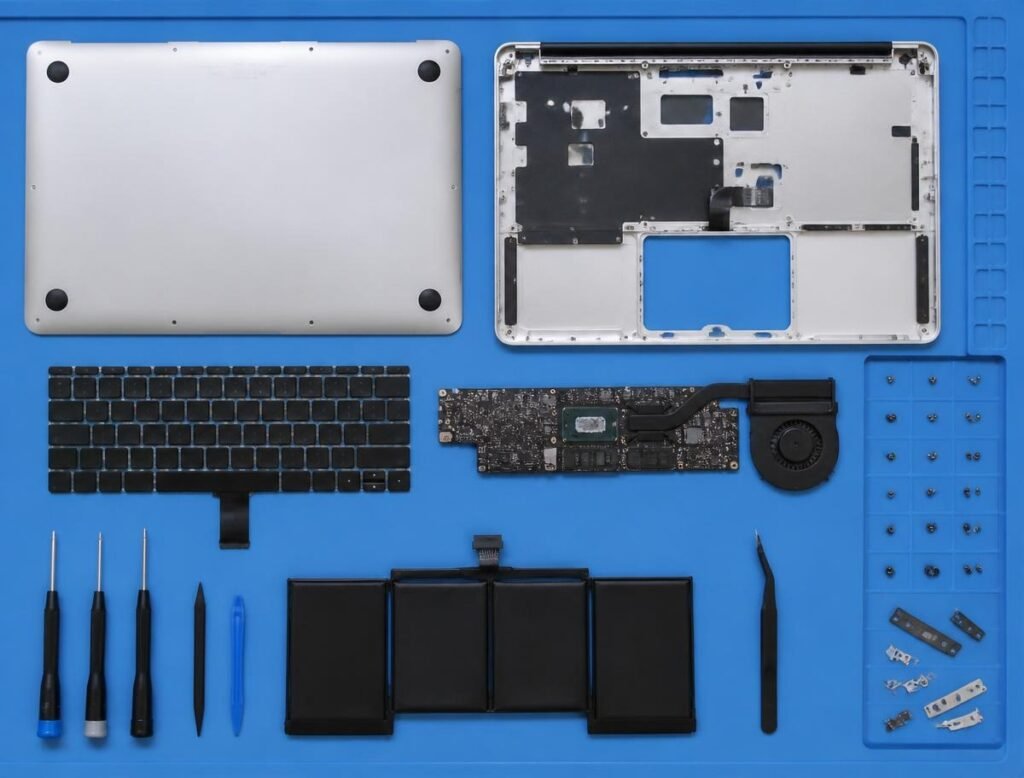
Your MacBook Pro is designed for demanding work, so hardware problems can quickly become disruptive. If your MacBook Pro has a damaged display, battery problem, charging issue, slow performance, overheating, or startup failure, professional diagnosis can help determine whether repair is worthwhile.
Our MacBook Pro computer repair services cover common hardware and software problems, including:
MacBook running slowly
A cracked display doesn't necessarily mean you need to replace the entire computer. Depending on the model and damage, a screen or display assembly replacement may be possible.
MacBook Pro Battery Replacement
If your MacBook Pro shuts down unexpectedly, loses charge quickly, or won't hold a charge, the battery may need to be replaced.
MacBook Pro SSD & Storage Repair
Slow performance, storage errors, or startup problems can sometimes be related to the internal storage. We can diagnose storage-related problems and determine whether an SSD replacement or another repair is appropriate.
MacBook Pro Logic Board Repair
Logic board problems can cause multiple symptoms, including failure to power on, charging problems, display issues, or other unexpected behavior. These repairs require careful diagnosis because replacing the wrong component can be unnecessarily expensive.
MacBook Air Repair in Dallas
Looking for MacBook Air repair in Dallas? CellShop360 can diagnose common MacBook Air problems and help you understand your repair options. We can assist with issues such as:
- Battery replacement
- Liquid damage
- SSD/storage issues
- Wi-Fi problems
- Overheating
- MacBook Air not turning on
- Screen/display problems
- Slow MacBook Air performance
- Keyboard and trackpad problems
- Charging issues
- macOS and software problems
If your MacBook Air is several years old, don’t automatically assume replacement is your only option. A diagnosis can help you compare the likely repair cost with the value of replacing the device.
iMac Repair in Dallas, TX
Mac repair isn’t limited to laptops. CellShop360 also provides iMac repair in Dallas, TX for customers dealing with desktop Mac problems. Common iMac issues include:
- iMac won't turn on
- Startup problems
- Overheating
- Wi-Fi connectivity issues
- Internal hardware failures
- Slow performance
- Display issues
- Storage problems
- macOS/software problems
Because iMac models have different internal designs and configurations, the appropriate repair depends on the exact model and fault.
Mac Repair Services We Provide in Dallas
Our Mac repair services cover a wide range of hardware and software problems.
Slow Mac Repair in Dallas, Texas
A Mac that becomes slow over time may have several possible causes. Low available storage, aging hardware, software problems, background processes, or failing storage can all affect performance. We diagnose the underlying issue rather than assuming that a simple cleanup will solve everything.
Mac SSD Replacement Service
If your Mac's internal storage is failing or no longer providing the performance you need, an SSD replacement may be an option depending on the model. We can assess the storage problem and explain the available repair options.
Mac Liquid Damage Repair
Spilled coffee, water, or another liquid can damage internal Mac components and cause problems that don't always appear immediately. If your Mac has suffered liquid damage, turn it off as soon as possible and avoid repeatedly attempting to power it on. Bring it in for assessment so the internal components can be inspected for damage and corrosion.
Mac Battery Replacement
A worn battery can result in short battery life, unexpected shutdowns, charging problems, or reduced portability. A battery assessment can determine whether replacement is appropriate for your MacBook.
Mac Screen Replacement
Cracked, damaged, flickering, or malfunctioning MacBook displays can make the computer difficult or impossible to use. Our technicians can inspect the display problem and determine the appropriate replacement or repair option for your model.
Mac LCD Replacement
If your Mac display has lines, dark areas, flickering, or other physical display problems, an LCD/display component may be involved. The exact repair depends on your Mac model and the nature of the damage.
Mac Wi-Fi Issue Fix
Wi-Fi problems can come from software configuration, macOS issues, wireless hardware, or other internal faults. We can troubleshoot the problem to determine why your Mac isn't connecting properly.
Mac Trackpad Repair
A trackpad that isn't clicking, responding correctly, or behaving erratically can make everyday MacBook use frustrating. We diagnose the trackpad and related hardware before recommending a repair.
Mac Flashing Folder With Question Mark Fix
Seeing a folder with a question mark when your Mac starts generally indicates that the Mac can't find its startup disk or operating system. Possible causes include storage failure, operating system problems, or connection-related issues. Proper diagnosis is important before replacing components.
Mac Heating Problem Fix
Is your Mac getting unusually hot or its fans running constantly? Overheating can have several causes, including blocked airflow, heavy background processes, thermal problems, or failing hardware. We can inspect the Mac and identify the likely source of the heat.
Mac RAM Installation
For Mac models that support memory upgrades, additional RAM can improve multitasking and help with certain workloads. However, not every modern Mac allows user-accessible RAM upgrades. We'll determine whether your specific model supports an upgrade before recommending it.
Mac GPU Repair
Graphics-related problems can appear as screen artifacts, crashes, graphical glitches, or display failures. GPU-related faults can sometimes be difficult to diagnose because similar symptoms can originate from other components.
Mac Logic Board Repair
The logic board is one of the most important components inside a Mac. Problems with it can affect power, charging, display, USB ports, storage, and other functions. A proper diagnosis helps determine whether board-level repair is practical for the device.
Mac Virus Removal
Unwanted pop-ups, suspicious applications, browser redirects, unusual behavior, or performance problems may be caused by malware or unwanted software. We can help identify software-related problems and clean up the system where appropriate.
Mac Not Turning On Fix
If pressing the power button produces no response, don't assume the Mac is permanently dead. The problem could involve the battery, charger, charging circuit, power system, logic board, or another component. We diagnose the device to identify the likely cause.
Mac Stuck on Apple Logo Fix
A Mac that freezes on the Apple logo can have operating-system, storage, peripheral, or hardware-related problems. We can troubleshoot startup problems and determine whether the issue can be resolved through software repair or requires hardware service.
Mac Touch Bar Repair
For compatible MacBook Pro models, a malfunctioning Touch Bar can affect shortcuts and other functions. We'll inspect the device to determine whether the problem is software-related or hardware-related.
MacBook Bent Frame Repair
A drop can bend the MacBook chassis or frame and potentially affect internal components, display alignment, hinges, ports, or the keyboard/trackpad assembly. Bring the device in for an inspection before continuing to use it if the frame is significantly bent.
How Much Does MacBook Repair Cost in Dallas?
The MacBook repair price in Dallas depends on several factors, including:
- MacBook model and year
- MacBook Air or MacBook Pro configuration
- Type of damage
- Component that needs replacement
- Availability and cost of replacement parts
- Whether the problem is hardware or software
- Extent of liquid or physical damage
For example, a battery replacement and a logic board repair involve very different parts, labor, and diagnostic requirements. Giving one fixed price for every MacBook repair would therefore be misleading.
CellShop360 provides an evaluation and quote based on the actual problem with your Mac. Before approving a repair, ask what is being replaced, what the total cost will be, and whether the repair comes with a warranty.
Why Choose CellShop360 for Mac Repair in Dallas?
When your computer contains your work files, photos, accounts, and important documents, choosing a repair shop is about more than price. At CellShop360, our approach is straightforward:
Clear diagnosis
We want to understand what's actually wrong before recommending a repair.
Quality replacement parts
Our website states that the shop uses genuine or premium replacement parts for its repair services.
Experienced repair team
CellShop360 says it has more than nine years of repair experience and provides repair services for phones, tablets, laptops, watches, and gaming systems.
Warranty-backed repairs
CellShop360 states that its repairs are backed by a warranty. Ask about the specific warranty applicable to your Mac repair before approving the work.
Local Dallas service
You can speak directly with the repair team at the physical Dallas location instead of relying entirely on an online support process.
Do You Need an Apple Certified Repair Shop?
If you’re searching for Apple certified repairs near me, it’s important to distinguish between an Apple-certified repair provider and an independent repair shop. Not every independent Mac repair business is an Apple Authorized Service Provider, and you shouldn’t assume certification unless the business can verify it.
If Apple certification is specifically important to you, ask the shop directly about its current Apple authorization or certification status before scheduling service.
For many repairs, customers are primarily looking for a knowledgeable local technician, reasonable pricing, clear communication, and a repair that solves the actual problem. The right choice depends on your Mac, warranty status, repair type, and budget.
Why Choose CellShop360 for Mac Repair in Dallas?
When your computer contains your work files, photos, accounts, and important documents, choosing a repair shop is about more than price. At CellShop360, our approach is straightforward:
01
Back Up Your Important Files
If your Mac still works, back up important documents, photos, and other files before handing it over for repair.
02
Tell the Technician What Happened
If the problem started after a fall, liquid spill, update, overheating event, or charging issue, explain what happened. This information can help with diagnosis.
03
Bring the Charger
If your Mac has a charging or power problem, bringing the charger and cable can help the technician assess the complete setup.
04
Don't Keep Powering on a Liquid-Damaged Mac
Repeatedly attempting to start a liquid-damaged computer can potentially make the situation worse. Shut it down and have it inspected.
05
Ask for the Repair Price Before Approval
Make sure you understand the expected cost before the repair begins. If additional damage is discovered, ask the shop to contact you before doing additional paid work.
Mac Repair Near Dallas, TX
CellShop360 is located on Forest Lane in Dallas, TX, making it a convenient option for customers looking for local Mac repair services.
You can call (972) 656-9341 to discuss your Mac’s problem or visit the store for an evaluation. The business currently lists Dallas-area repair service and a range of laptop and other device repairs.
If you’re coming from nearby communities such as Richardson, Garland, Addison, or other parts of the Dallas area, contact us before making the trip so you can discuss your repair needs and expected turnaround.
Our store address is:
9191 Forest Ln #3A
Dallas, TX 75243
FAQs
Get Your Mac Working Again
A MacBook with a broken screen, weak battery, liquid damage, startup failure, or logic board problem can interrupt your work and everyday life. The first step is finding out what is actually wrong and whether repairing it makes financial sense.
If you’re looking for Mac Repair in Dallas, TX, MacBook Pro Repair in Dallas, MacBook Air Repair in Dallas, or iMac Repair in Dallas, CellShop360 can assess your device and explain your options.
Call CellShop360 today at (972) 656-9341 or visit our Dallas repair shop at 9191 Forest Ln #3A, Dallas, TX 75243.
